

If you've ever watched a deal stall because a quote took too long to put together, or seen finance and sales working from two different versions of "the truth," you already understand the problem HubSpot's Revenue Hub was built to solve.
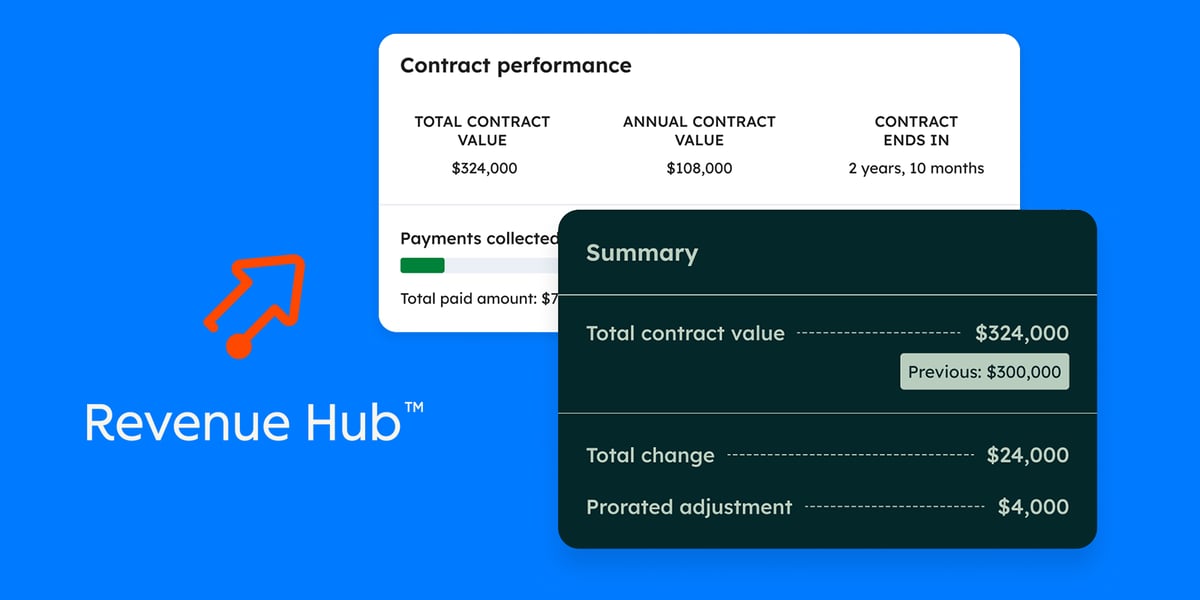
Formerly known as Commerce Hub, Revenue Hub is HubSpot's answer to CPQ (Configure, Price, Quote): a structured process for turning a negotiated deal into an accurate, sendable quote without the back-and-forth that usually slows down revenue teams. It's designed to sit at the intersection of sales, marketing and finance, giving teams a single, reliable view of what's being sold, at what price, and under what terms.
We've spent the better part of this year scoping and implementing HubSpot's CPQ for clients across software, travel technology and fleet telematics, and this article is as much about what we've learned in those portals as it is about the feature list.
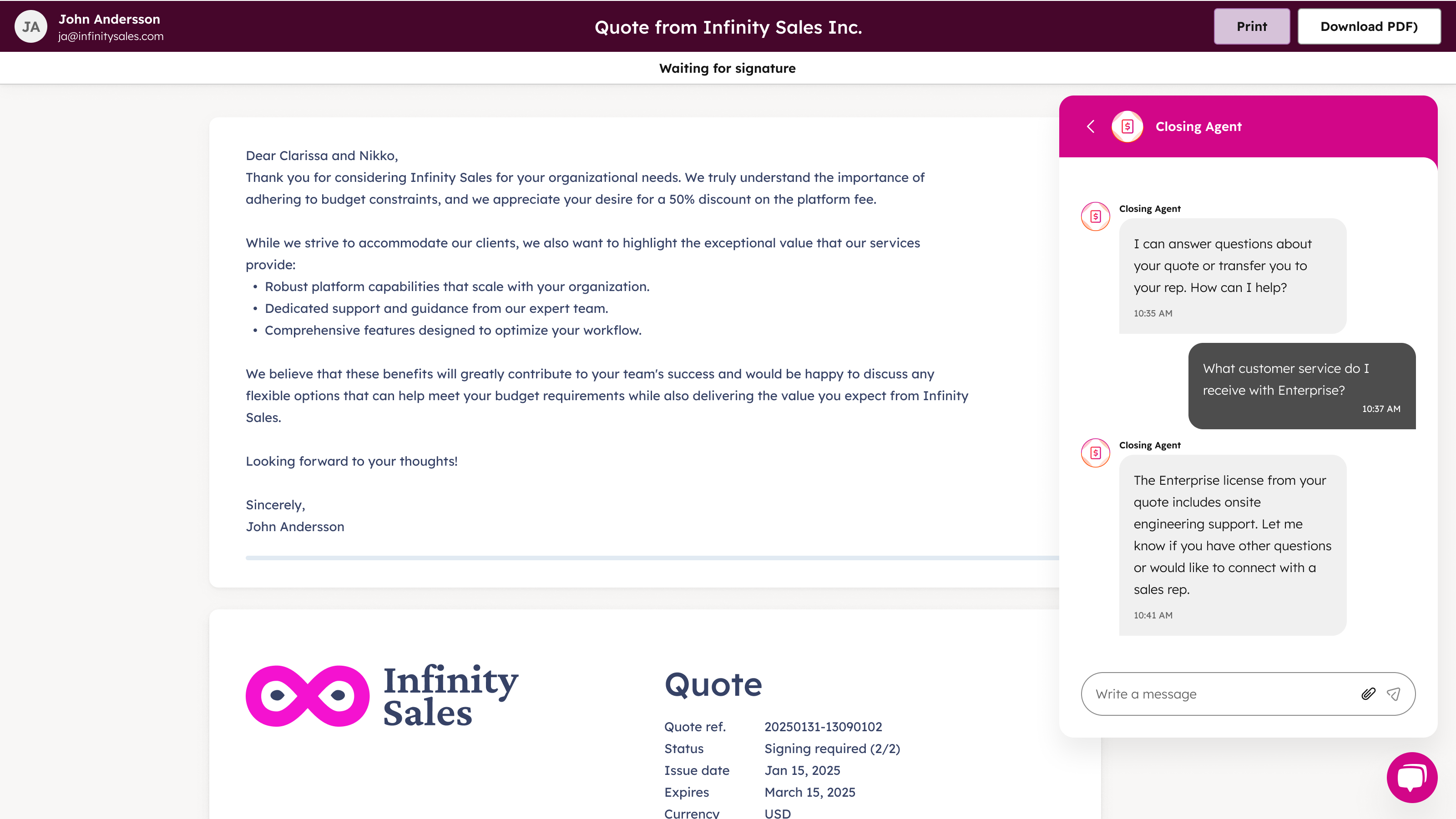
Recent updates to HubSpot Revenue Hub bring in exciting features like the AI Closing Agent. But let's cover the core features first.
Why this matters right now
Quoting in HubSpot changed materially in June 2026. HubSpot moved quoting functionality into the newly launched Revenue Hub, and any custom work on quotes now requires a Revenue Hub seat. Accounts created before 3 September 2025 that were actively using quotes retain access to the legacy quotes tool under their existing Sales Hub setup, but that is a grandfathered position, not a roadmap.
We ran into this with a travel-technology client mid-project. They'd scoped a quoting and contracting workflow (products and line items in USD and ZAR, e-signature, countersignature, a branded quote domain, 30-day expiry) and their team did a careful feasibility check against Sales Hub Professional with legacy quotes.
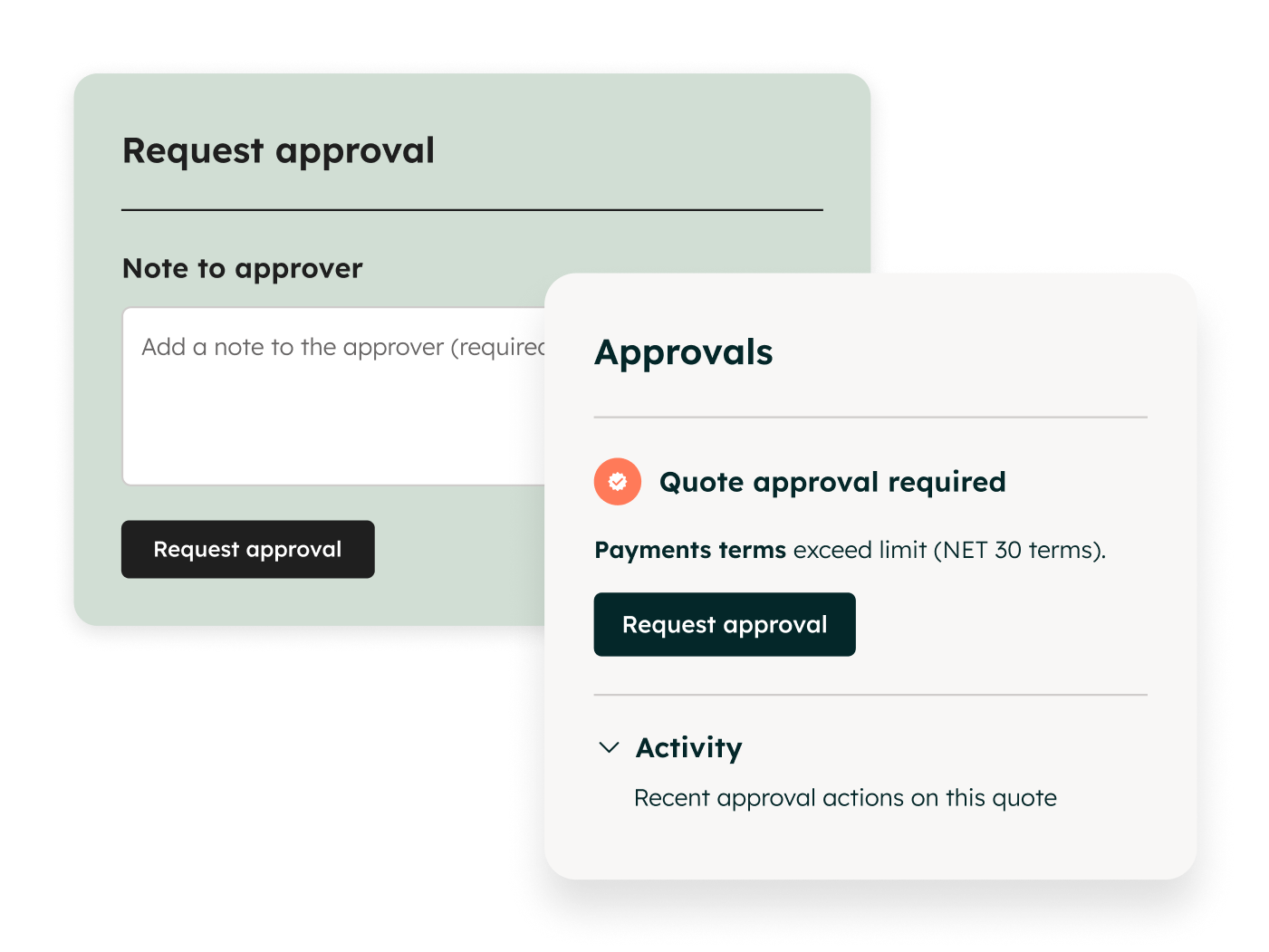
Most of it was achievable, but three gaps stood out: day-20 and day-25 customer reminders weren't native to legacy quotes, accepted legacy quotes don't create HubSpot Contract records, and quote approvals weren't available on their tier. Every one of those gaps is a Revenue Hub feature. That's the pattern we now see repeatedly: legacy quotes get you a PDF with a signature; Revenue Hub gets you a commercial process.
What HubSpot Revenue Hub actually does
At its core, Revenue Hub centralises the entire quoting process. Setting it up starts with the product library. Every product needs a defined billing frequency (monthly, fixed, or automated) and a default company currency before it can be used in a deal or a quote. That structure might sound like busywork, but it's what makes everything downstream, like pricing, currency handling and contract generation, actually work correctly.
From there, Revenue Hub supports tiered pricing models, including:
- Volume-based – all units are priced per unit based on their total quantity
- Stair-step – the total cost is a fixed price based on the tier reached
- Graduated – the total cost is the sum of unit prices from each tier reached
Administrators can set specific discount thresholds for each product and switch these rules on or off as pricing strategy changes, rather than rebuilding pricing logic from scratch every time.
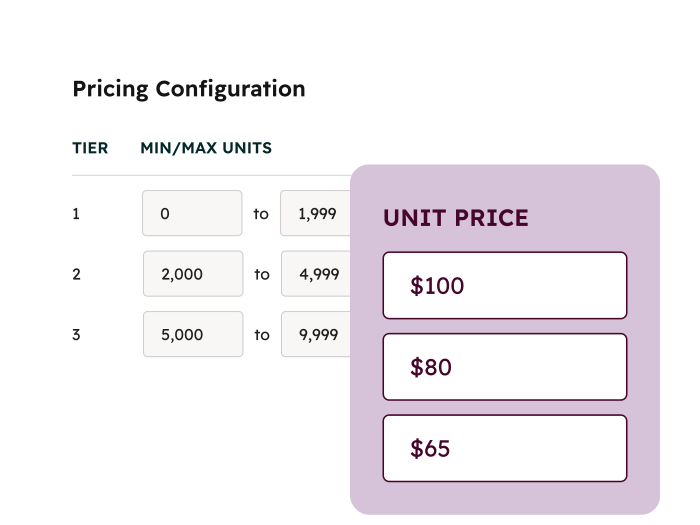
In practice: One of our clients, an enterprise asset-management software company, was running its entire quoting process out of an Excel spreadsheet. The spreadsheet held years of accumulated formulas: buy more of a given module and the unit price drops, deploy at more sites and the tiering shifts again. A salesperson would negotiate, "fiddle" the spreadsheet, get a number, and the signed quote would then be manually keyed into their ERP for licensing and invoicing. Their tiering logic mapped almost directly onto Revenue Hub's volume and graduated pricing models. The difference is that the logic now lives in the product library where it can be governed, rather than in a file that every rep has a slightly different copy of.
Price books
Price books add another layer of control. They let you group products and apply rules based on deal properties, for example automatically applying the right pricing when a deal is tagged with a particular project type or region.
Price books can also be restricted to specific company accounts, which is especially useful for negotiated or account-specific pricing, and they can support multiple currencies as long as those amounts are explicitly configured.
In practice: A data-security software client migrating from Salesforce arrived with multiple price books: a standard list, region-specific books for markets like Turkey and emerging markets, and partner-specific pricing. In HubSpot we represented these as filtered product views so reps only see the products relevant to the deal in front of them, and handled partner margins and deal discounts through workflows in phase one, with fuller automation planned for phase two. They also had a three-year maximum term with multi-year deals billed annually, which is exactly the kind of structure that benefits from having billing frequency defined at the product level rather than negotiated per quote.
One honest caveat: the hardest part of that project had nothing to do with HubSpot's capabilities. It was identifying and cleanly exporting the correct price books and product objects from the old system. HubSpot had everything needed; success depended on the quality of the data going in.
Guardrails that actually hold
One of the more compelling parts of Revenue Hub is how much control it gives administrators over what sales reps can and can't do. Discount caps (say, a hard limit of 20%) can be enforced at the system level. Try to exceed that limit, whether manually or through HubSpot's Breeze AI, and the system blocks it outright. For companies that have spent years chasing down unauthorised discounts after the fact, this is the kind of feature that pays for itself.
HubSpot's July 2026 release expanded this considerably with quote rules. Admins can now create four types of rule that validate quotes in real time as reps build them:
- Incompatibility rules – prevent products that shouldn't be sold together from landing on the same quote
- Compatibility rules – require that if product A is added, product B comes with it
- Pricing rules – enforce discount and price floors
- Quantity rules – guide or block on minimums, maximums and increments
Reps see violations in the side panel and line-item editor as they build, with instant feedback and context rather than a rejected quote three days later. Usefully, you can test rules against previously published quotes before enabling them, so you understand the impact before it hits your sales team. Quote rules require Revenue Hub Enterprise.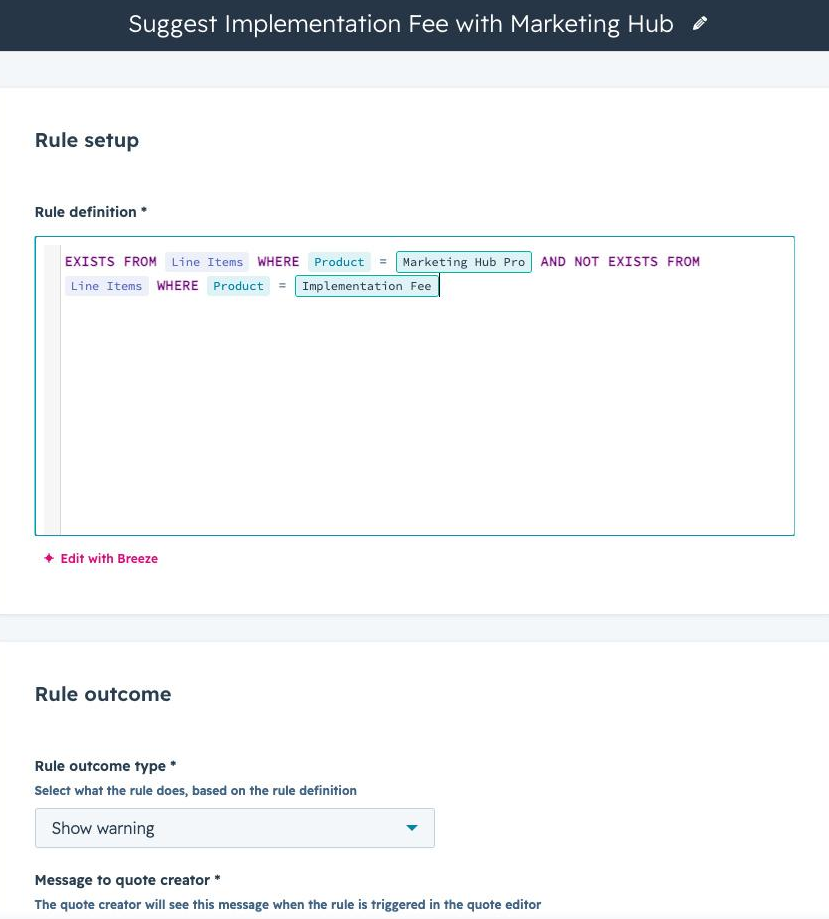
In practice: The asset-management client mentioned above had a strong governance stance. Every customisation had to go through a steering committee, and the mandate was to stay within HubSpot's native boundaries wherever possible so upgrades stay safe. Quote rules are exactly the kind of native guardrail that satisfies that requirement without custom code. Our own team is now compiling a standard "rule handbook" of baseline quote rules we recommend for every client portal, because the same handful of controls (discount ceilings, bundle dependencies, service-type restrictions) come up in almost every implementation.
Quoting
Quotes themselves are more flexible than before. The updated quote builder supports custom-coded modules, so teams that need something beyond the standard layout aren't boxed in, and Breeze AI can help draft executive summaries directly inside the quote. Administrators can also use Breeze AI to write and edit quote rules in plain language, setting up warnings or outright blocks for specific scenarios, like preventing the wrong service type from being added to a quote in the first place.
Two other July 2026 updates are worth knowing about:
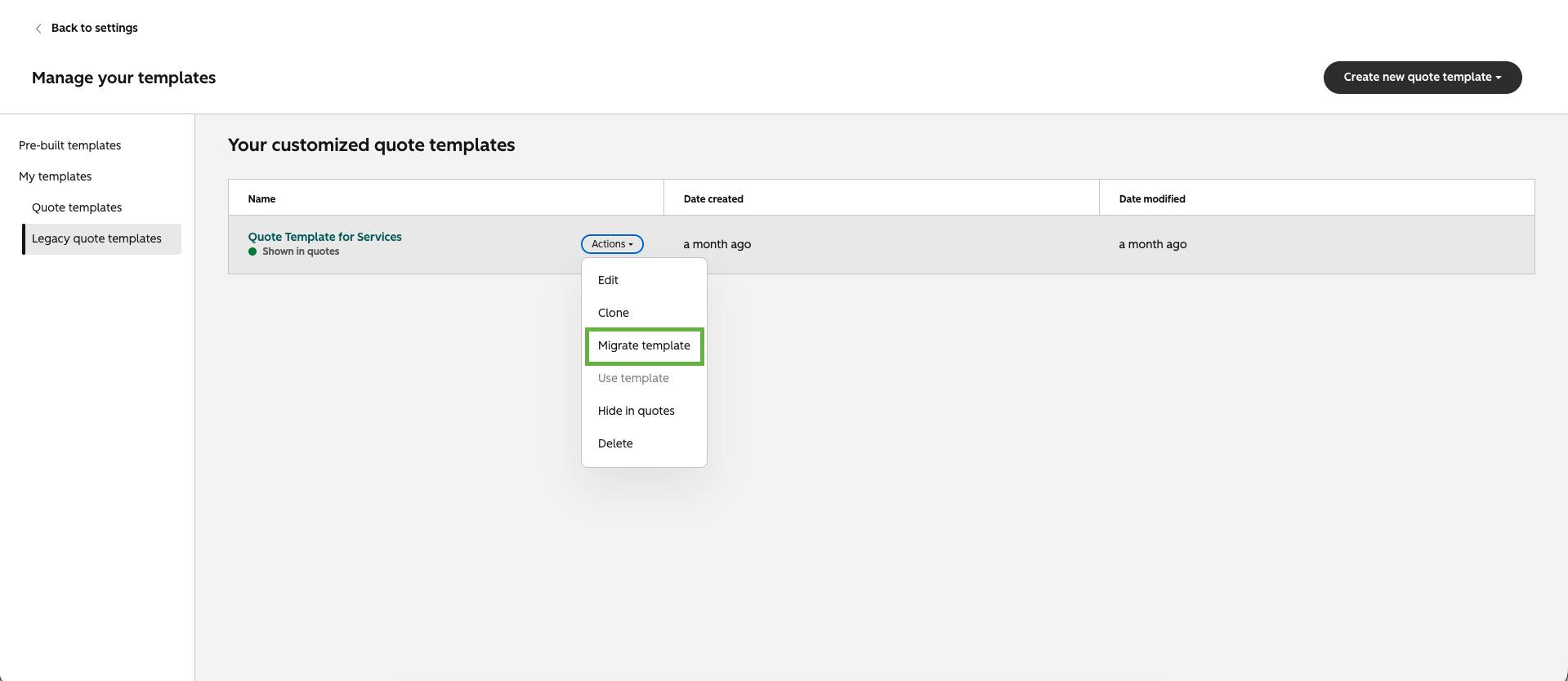
Legacy template migration. Admins can now migrate standard legacy quote templates to Revenue Hub Quotes in a single guided flow. HubSpot generates an editable Revenue Hub template plus a migration report, with a checklist showing what carried over and what still needs attention. If you're one of the grandfathered legacy-quote accounts, this removes the biggest practical excuse for not moving.
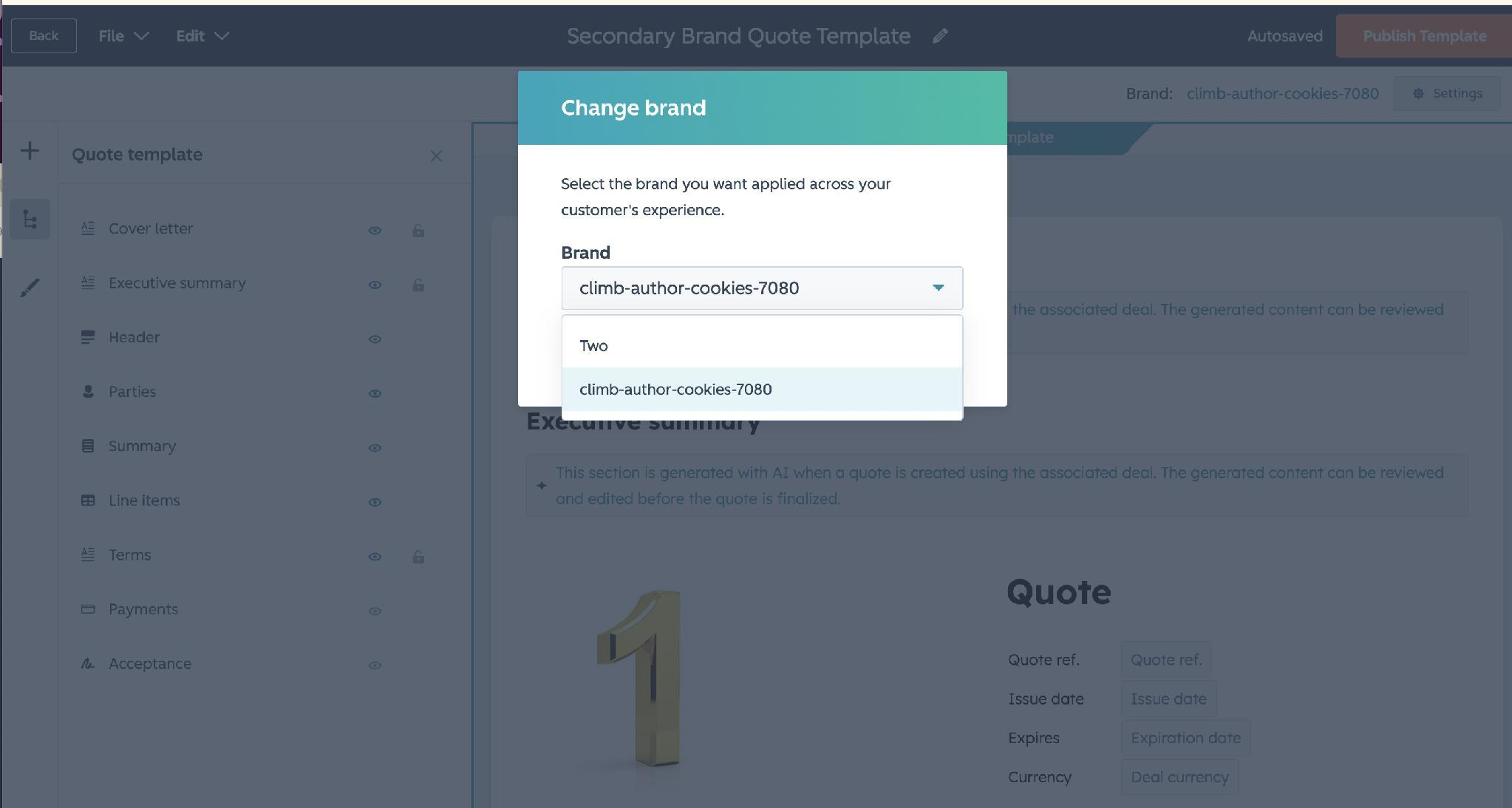
Brand support in quotes. If you run multiple brands through the Brands add-on, selecting a brand in the quote template editor now carries the correct logo across the quote, checkout, invoices and receipts, and through to contracts. No manual swapping. This requires Marketing Hub Enterprise with the Brands add-on plus a Revenue Hub seat.
Closing the gap between sales and finance
Once a quote is signed, Revenue Hub automatically generates a contract and an order tied to the deal. That single step gives finance teams real visibility into total contract value, upcoming renewals and payments due. This is the type of information that used to live in spreadsheets or a separate system entirely. Now it can all be reported on accurately, directly inside HubSpot.
In practice: The renewal piece is often what lands hardest with clients. During a field-mapping session with the asset-management client, their finance lead raised that licence renewals were a manual exercise: someone had to know that a given customer's licence was coming up. We were able to show contract start and end dates on the Revenue Hub contract record, with the line items underneath, and the ability to trigger renewal activity ahead of an expiry date (or let it roll over). That's a use case their ERP simply didn't cover.
The same client also surfaced a common commercial complexity: customers buying additional licences mid-term. That means additional quotes, pro-rata pricing, and an upsell that has to reconcile against an existing subscription. When we walked their full CPQ flow end to end (deal creation, tiered pricing, quote generation and acceptance, contract creation, subscription conversion and a mid-year upsell scenario), the subscription and contract objects were what made the upsell scenario coherent rather than a manual patch.
The billing portal
There's also a client-facing billing portal, where customers can log in securely with their email, view current, past and future subscriptions and invoices, make payments and update payment methods. You configure it under Settings > Tools > Portals > Billing, set your display name and access groups, and decide whether buyers can view only, request to cancel, or self-cancel their subscriptions. It's available on Revenue Hub Professional and above.
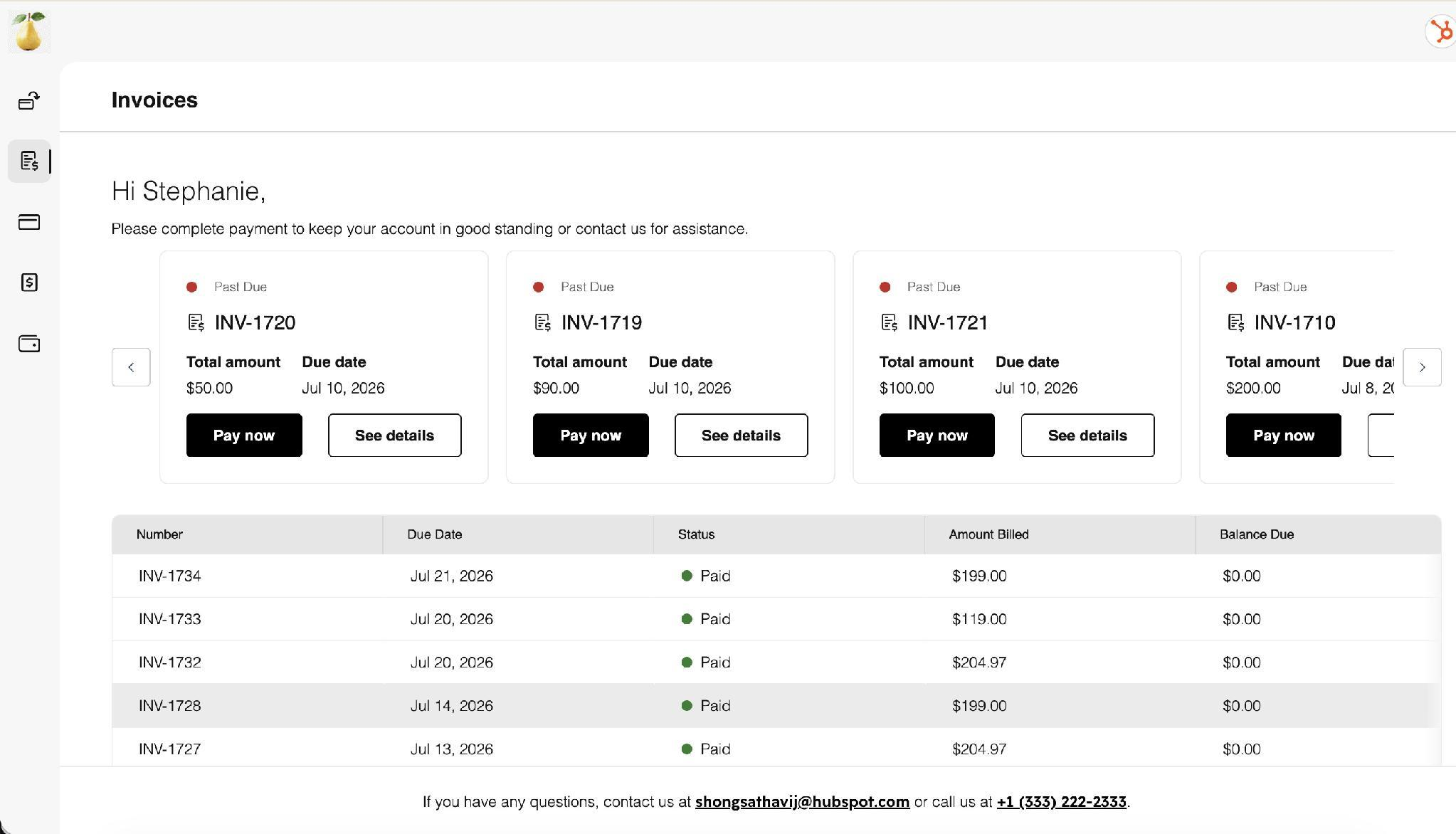
Payment collection through the portal is currently available primarily in the US, EU and UK, which matters for South African and other non-US/EU/UK businesses. In our region where native payment collection is not available, the portal is most useful as a self-service invoice and subscription view that reduces the "can you resend that invoice" support load, rather than as a payment gateway. We then integrate into platforms like Xero which can accept payment via local payment gateways.
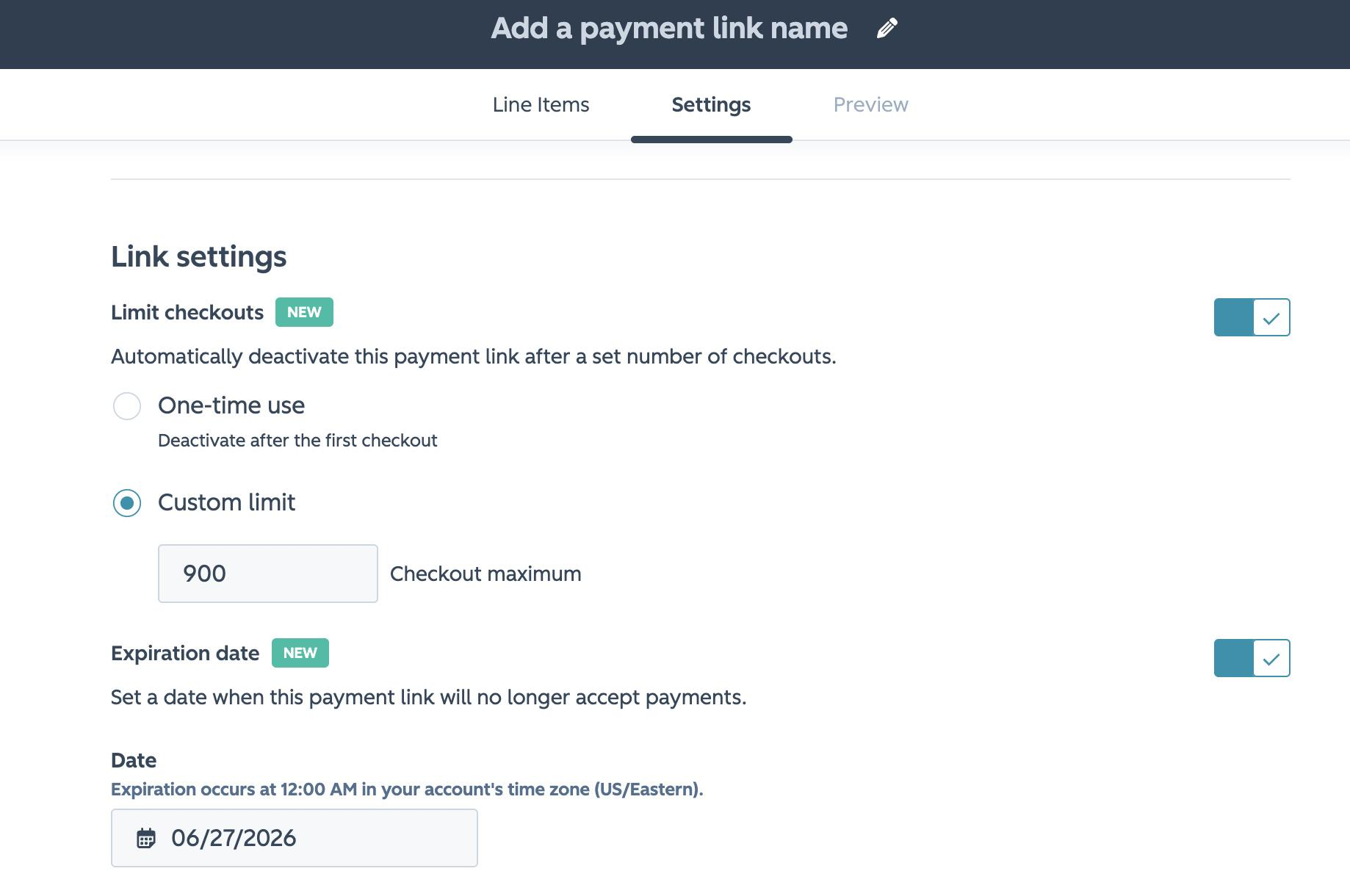
A related July update: Payment links can now carry an expiry date and/or a maximum checkout count, and deactivate automatically when either limit is hit. Small feature, but it removes an entire class of workflow workarounds for time-boxed or quantity-capped offers.
Integrations: where it gets complicated
Everything is backed by APIs, so Revenue Hub can connect to external financial software. That said, integrations aren't always plug-and-play, and we'd rather you hear the limitations from us upfront than discover them mid-project.
In practice: the native Xero integration. We recently onboarded a fleet-telematics group with two operating entities, and documented the native Xero integration's limitations for their CFO before kickoff. The list is worth sharing because it applies to anyone considering it:
- The native integration supports USD, CAD, EUR, GBP, AUD and NZD only. ZAR and other currenices are not supported natively.
- Each HubSpot portal connects to a single Xero organisation. Multiple entities on separate Xero tenants need separate connections. We've connected to multiple Xero organisation with our custom built Xero connector.
- Invoices sync against contact and company records; deal-level invoice association isn't supported natively.
- Changes in Xero are detected every 30 minutes, so payment status in HubSpot is near-real-time, not live. Our custom Xero connector is instant.
- There's no historical backfill. Only records created or modified after the sync is enabled flow through.
- A single default revenue account is applied to all synced invoices, so revenue can't be split by product line at sync.
- Custom field mappings require Data Hub Starter or above.
On top of that, manually editing an invoice inside Xero after the fact risks breaking the sync entirely. It's a reminder that automation is only as clean as the processes feeding it. For that client, the answer was to run the integration for their European entity first (where the currency is supported) and scope a custom integration for the ZAR entity separately. Again, our custom Xero connector allows invoicing editing.
In practice: ERP integrations. The asset-management client runs on Acumatica. HubSpot's native Acumatica integration only supports CRM objects (contacts, companies, leads), so quotes, invoices, subscriptions and orders don't flow natively. We sequenced the programme accordingly: marketing and CRM foundations with the native sync in phase one, CPQ decisions and subscription model design in phase two, and a custom integration connecting deals, subscriptions, invoices, products and quotes to Acumatica in phase three. Being explicit about that sequencing, and about what was a deliberate choice versus a technical gap, removed a lot of ambiguity for their steering committee.
For teams that would rather keep using their existing financial software, Revenue Hub doesn't force the issue. Auto-invoicing and contract generation can simply be switched off.
Who needs a licence and what it costs
HubSpot's Revenue Hub uses a seat-based model. Professional seats start at $85 per month, dropping to $57 for existing Sales Hub customers when billed annually. Enterprise seats cost $140 per month and unlock the CPQ tools like quote rules and advanced approval workflows.
Not everyone on the team needs a licence, though. Anyone actually creating and sending quotes needs a Revenue Hub seat, but the administrative side (setting up price books, discount rules and guardrails) only requires one licensed user with super admin access. That's a meaningful distinction for companies budgeting seats across a sales org.
A quick tier guide based on what's described above:
| Capability | Tier |
|---|---|
| Revenue Hub quotes, products, price books, contracts | Professional+ |
| Billing portal | Professional+ |
| Legacy quote template migration | Professional+ |
| Quote rules (incompatibility, compatibility, pricing, quantity) | Enterprise+ |
| Advanced approval workflows | Enterprise+ |
| Brand support in quotes | Marketing Enterprise + Brands add-on + Revenue Hub seat |
What's coming next
Currently in private beta, a feature called Revenue Agent will use Breeze AI to track due dates, interpret client email communication, and automatically send nudges or follow-up reminders, essentially extending Revenue Hub's automation beyond the quote itself and into ongoing account management. Given that "reminders at day 20 and day 25" was a hard requirement on one of our recent projects and had no native answer in legacy quotes, this is one we're watching closely.
The bigger picture
Beyond the individual features, Revenue Hub's real value is organisational.
It gives sales teams a faster, less error-prone way to quote, gives finance teams cleaner reporting and revenue attribution, and gives leadership guardrails that actually get enforced rather than just documented in a policy somewhere. For businesses already living inside the HubSpot ecosystem, it closes one of the more persistent gaps between the CRM and the money, and that's a gap worth closing.
If we've learned one thing from this year's implementations, it's that the technology is rarely the constraint. The constraint is usually the quality of your product data, the clarity of your pricing rules, and whether your finance and sales teams agree on what "the truth" looks like before anyone builds a quote template. Revenue Hub rewards teams that do that work first.
Thinking about CPQ in HubSpot, or unsure whether legacy quotes will carry you? Talk to the MO Agency HubSpot team about a scoping session.