

Updated 2 June 2026
A HubSpot audit is a structured review of your HubSpot portal - account defaults, users and teams, data quality, custom properties, workflows, integrations, permissions, marketing assets, and contact tier usage - that surfaces the gaps slowing your team down and inflating your bill. Every growing HubSpot portal drifts into chaos over time: thousands of records, dozens of workflows, overlapping properties, integrations failing silently, Super Admins multiplying. Auditing is how you arrest that drift. This guide walks through the framework MO Agency uses to assess a HubSpot portal end-to-end - what each phase covers, what to fix first, how to build a data-check dashboard that surfaces problems on demand, and when to bring in a HubSpot solutions partner.
At MO Agency, we have almost daily conversations with clients, potential clients, and even internally focus on HubSpot audits. AI has made this significantly quicker in recent years, but the core knowledge of what to look for has been built up over years of experience and knowing what to look for.
Why Most HubSpot Portals Drift Into Chaos
As we see with many elements of our lives, the more opportunity for chaos there is, the more likely chaos is to follow. HubSpot and CRMs in general are no exception to this. You can build all the processes and workflows you like, but somehow, there will still be something overlooked that will reduce your portal's health. This doesn't mean you are doing something wrong, CRMs store thousands, if not hundreds of thousands, of data points. The likelihood that these will always be accurate is low.
How do you tell when you have reached a point of intervention? This article is going to show how you can conduct a HubSpot audit to assess if you need drastic changes or if you simply need to make some minor tweaks.
The Audit Framework
What Does a HubSpot Portal Audit Actually Cover?
There are a number of areas to look at when conducting your HubSpot audit. Different teams are going to want different outcomes from the audit. Some examples are:
- Executives may want to know if the data they are reporting on is accurate
- Management will want to know the ROI on their spend and whether all the tools they're paying for are actually being used
- Marketers will want to know if the personalisation you have worked on is valuable enough to campaign to
When auditing a HubSpot portal, we want to be sure that we are thorough and that we have some goals in mind so that we can build some frameworks in place to make it easier the next time we do. We also want to make sure that we are extracting value from the audit and not just doing it as a tick-box exercise.
Where to Start: Building Your Audit Checklist
When you do the audit for the first time, there will be some information that you will likely do once and then not need to do again for some time. Some of the basics are going to include the following steps.
The basics
- Check the account defaults under Settings → Account Defaults. You will be looking at the basic settings here, like:
- Company name
- Time Zone
- Domain
- Currency settings (if you manually set the exchange rate, this is vital)
- Next, you can check the users (Settings → Users & Teams):
- Look for inactive users
- Do a clean-up or recon of how many Super Admins you have (more is not better in this case)
- Review the pending, bounced and users that need to be deactivated
- Make sure the teams (if applicable) are up to date and relevant.
You should only need to do this on an ad-hoc basis after this, when new users are invited, or changes need to be made.
Data Health
The next step of the HubSpot Audit is going to be to look through your data health. You can do this manually with filters; however, it will be easier to build reports that show you the problem areas, as these are better long-term. What you will be looking for is:
- Check all your objects (contacts, companies, deals or custom objects). You will be looking for missing data that is valuable to the teams that use it. Some of the common examples are:
- Missing email addresses
- First or last names that are incomplete
- Company domain fields with no or not compatible data (i.e., Gmail/Outlook domains)
- Close dates that are past their due date
- Closed lost reasons not updated
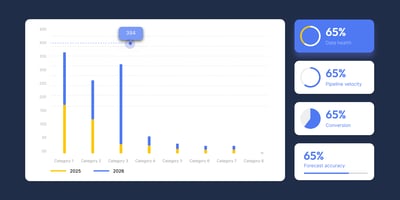
The best way to future-proof is to build reports that outline the areas that are most important to you. Add them all to a dashboard; we like the team data-check dashboard (we use one internally).
Checking properties
Following the basic clean the next step will be to start looking into the more advanced data. These are the properties that have been custom-made over the lifespan of the portal and can take some time to clear up. To get to the property set up you will need to navigate to:
- Settings → Properties
- Select the object you would like to audit the properties for
- You will now be able to see and search all the properties in the portal
When assessing the properties, you will need to evaluate a few aspects:
- Are there duplicate properties?
- Where are they being used?
- What is the fill rate like?
If there are duplicates, it is worth noting what each fill rate is. Depending on the severity, you may need to take some action by looking at where they are being used. In order to change or update the property you will need to make sure it does not contain any data.
Evaluating Workflows
Navigating to Automation → Workflows will open the workflow page. The top left of the screen has a "Review automation issues" button. This would be the starting point for making sure your workflows are doing what they were intended to do.
Start with the workflows that are currently on. Review those with issues. Fixing the issues may require you to go into the workflow and change or update the workflow. If you have a HubSpot partner, this would be a good point to engage with them on enhancements and potential new features that could have been solved in new product updates.
Always ask the question why the workflow was created in the first place before you make the changes. Communicate these changes with all the teams involved in the workflow so that something downstream isn't affected.
Integrations
Auditing integrations that are plugged into HubSpot is a vital part of a HubSpot portal audit. To navigate there follow:
Settings → Integrations → Connected apps
Once you are there scroll through the connected apps and make sure that everything that should be connected is still connected. If all looks good move onto looking into each of the connected integrations and make sure they are not failing or that there are not any lasting errors. If there are custom integrations, you will need to look through those to be sure that they are not causing any errors.
If you want to see if the apps are creating any objects in your CRM then use the property "record details source 1" this will tell you which integration, if any created the record.
Lastly it is always a good idea to see who has access to the integrations and who is allowed to bring that data into your CRM.
User permissions
We briefly looked over this in the basics of a HubSpot portal audit, now we are going to look at the important elements that can make or break how healthy your portal is in the long term.
The first thing to note is how many Super Admin Users there are. Too many cooks in the kitchen means that we have too much opportunity for things to go awry. The next permissions are the most important to evaluate when looking at the individual permissions in the portal:
- What can the users edit
- What are they permitted to create
- What can they delete
- Can they import (specifically bulk import)
- Can they export (critical to your business as this could mean your data is being used externally)
In addition to this, it is imperative to make sure that the users do not have access to elements in the portal that they need not have access to. We don't need salespeople with access to the market contacts list.
Marketing Hub audit
A marketing Hub HubSpot audit requires some knowledge of the current and used assets. Be sure, if you are not part of the marketing team to have a team member with the knowledge of this operation before removing anything. The key things are you going to be auditing are:
- What is still in draft?
- What has worked in the past?
- What is currently active?
- When were the current assets last updated?
- What are the top performing assets?
- Are all the necessary assets tied to a campaign?
Once this has all been noted, it is possible to start archiving the marketing information. We would not delete as these may be valuable down the line when you want to look back at any previous information.
Marketing Contacts
During the many HubSpot audits we have done, we see one big theme that can be an expensive addition to portals that happens slowly over time. Marketing contacts tiers being breached and then moving to a new, and more costly tier.
If you click the top right icon with your company name and then scroll down to Accounts & Billing and then to the tab named "Usage and Limits". On the left hand side you will find a marketing contacts area. Here you will see how close you are to the next marketing contacts tier.
Here you will be able to see two important metrics:
- Marketing contacts - The number of contacts you have that have their status set to marketing contacts.
- Current tier - Basically your current limit.
If the number of contacts exceeds the current tier you are automatically moved to the next tier, which will incur an additional cost. HubSpot does this to avoid companies using the contacts to bulk send messaging, among other things.
You can set contacts to "non-marketing contacts" at any point. They will only take effect in terms of the data above in the next calendar month. This means that it is important to closely monitor how many marketing contacts you have, as well as who and what is setting them. You can do this here or with a report.
The easiest way to remedy this is with a workflow that will update them after a certain time. Check your forms and automation to make sure that they are not setting marketing contacts automatically if you do not want them to.
Quick wins that can make a difference
Identify a few basics that you would like to be updated across all the HubSpot objects. As mentioned previously in this article you can then build reports on this and they can be used to build a culture of CRM hygiene in the organisation.
Some of the basics are:
- Contacts
- First name
- Last Name
- Company
- Domain (if you don't want duplicates)
- Company names
- Filtering out generic emails
- Deals
- Close date
- Amount
- won/lost reasons
- Tickets
- Correct Stage
- Associations to contacts or companies
- Tasks
- Completion dates past
What to address first
Always look for the quick wins, it is easy to get bogged down in big jobs when you can make a significant difference getting the basics right. It is important to hold the members of you team accountable for the data that they own as this will drive a culture of a clean CRM and limit issues in the future. The reports and data check dashboard are the easiest way to get this done quickly.
When to look for help
If you have any questions that are not answered in this document or a special case it is a great idea to seek the help of a HubSpot expert. Solutions partners will quickly be able to assess the basics and will be able to offer strategic advice on how to correct the issues at hand. A good solutions partner will be at the forefront of changes and enhancements that HubSpot have made recently and could be a good partner to implement these changes, especially if there are time constraints.
Closing
A HubSpot Audit can be a daunting task, it's a little like looking at a drawer that has been stuffed full over time. But, it doesn't need to all be completed in one sprint, in fact it won't be. It's a midste and process change that needs to be implemented over time. Following the above steps for your HubSpot portal audit will make sure that you get off to a successful start and be sure to get you moving in the right direction.