%20-%20V2.png?width=1200&height=600&name=MO%20-%20Blogs%202026%20-%20What%20Does%20%E2%80%9CNone%20Met%E2%80%9D%20Mean%20in%20HubSpot%20Workflows_%20(Reddit%20post)%20-%20V2.png)


What Does “None Met” Mean in HubSpot Workflows?
Most HubSpot users ignore “none met” until the day a workflow breaks. Then suddenly it becomes very important.
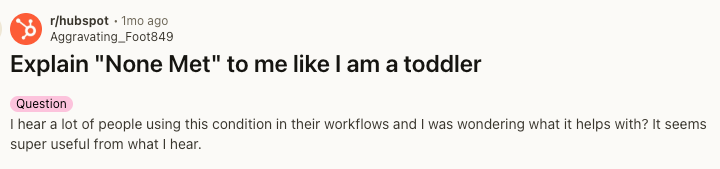
I recently came across this exact question on Reddit. Someone asked, “Can someone explain ‘None met’ to me like I’m a toddler?” I jumped into the comments to help clarify. But it got me thinking. If this many people are unsure about what “none met” does, it is probably a commonly misunderstood condition inside HubSpot workflows. So let’s break it down.
What “none met” means in HubSpot
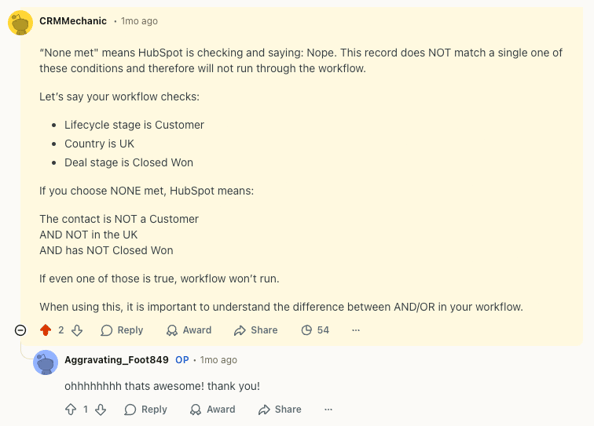
At its core, “none met” means; HubSpot checks a list of conditions and confirms that the record does not match a single one of them. It is the opposite of saying “at least one of these is true”. Even if one condition in the group is true, the record will not pass through the “none met” condition.
A simple “none met” example
Imagine your workflow checks:
- Lifecycle stage is customer
- Country is UK
- Deal stage is closed won
If you select “none met”, HubSpot is now saying, this contact must:
- Not be a customer
- Not be in the UK
- Not have a closed won deal
If even one of those is true, the contact will not continue. In other words, zero conditions in that group can be true.
How HubSpot Workflows Evaluate Conditions
To fully understand “none met”, you need to understand how workflow logic works.
HubSpot evaluates grouped conditions using:
- AND logic which means all conditions must be true.
- OR logic which means one condition must be true.
Instead of asking, “does this record match any of these?”, HubSpot checks “does this record fail all of these?”. That differentiator is critical when building out more complex workflows, this is your safety net in ensuring none of the incorrect records pass through the workflow.
When should you use “none met”
This condition is useful in three situations.
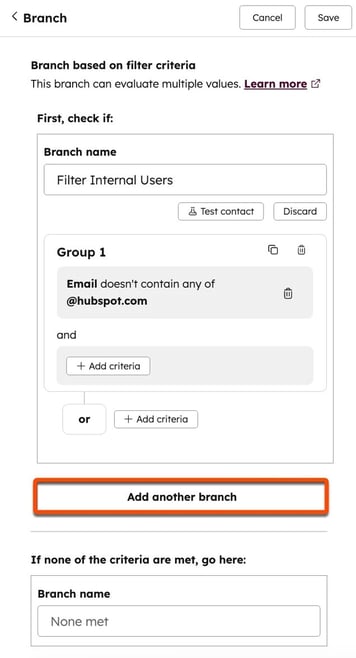
Excluding contacts from automation
Most workflows focus on who should be enrolled. Experienced HubSpotters focus just as much on who should not enroll into the workflow. For example, you want to send a marketing email to everyone except;
- Existing customers
- Unsubscribed contacts
- Internal team members
Grouping these together and using “none met” ensure only contacts who are none of the above will enroll into the workflow. It creates clear exclusions without complicated branches.
Preventing workflow overlap
In legacy portals, multiple workflows often interact with the same records. Using the “none met” ensures there are no automation conflicts and duplicate messaging when a contact is;
- Already in an existing campaign
- In a specific lifestyle stage that should not change
- Assigned to a restricted owner
- Or part of a specific segment
Maintaining Data Hygiene
Lastly, “none met” is useful in identifying records that fail qualification standards, like;
- No lifecycle stage assigned (one can set up an automation to prompt the contact owner)
- No associated company
- Missing required segmentation fields
Clean data is critical to the success of any CRM, making this “none met” condition extremely useful and important when cleaning and updating your CRM.
Avoid common mistakes
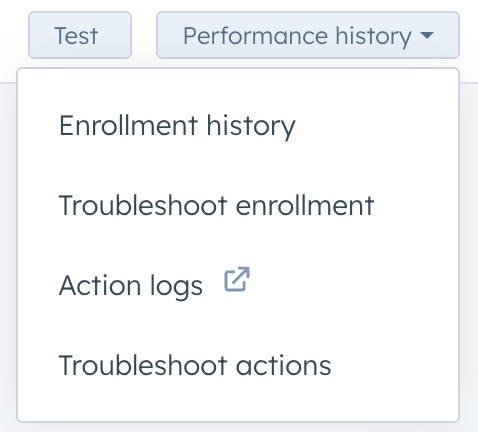
The most common mistake HubSpot users are making is misunderstanding the grouping of conditions. Specifically the “AND” “OR” logic as mentioned above. Before turning on a workflow, map the logic on paper, double check condition grouping and test with real records (a smaller segment of data or internal staff). Once the workflow is on, review the enrollment history to identify potential issues early on.
Final thoughts
A simple way to remember “none met” is think of a safety net, HubSpot lines up all the conditions and asks, does this record match any of these? If yes, even one condition, access is denied and the contact will not enrol into the workflow. Mastering this condition helps you create more advanced level workflows, for larger teams who are protective over their data.