

robots.txt gives you a binary choice: allow an AI crawler to access your content, or block it entirely. But what if you want something in between?
What if you want AI systems to cite your content in search results but not use it for model training? What if you want AI agents to read your public marketing pages but restrict access to your premium content? robots.txt can't express these distinctions. Content Signals can.
What Content Signals are
Content Signals is a response header standard that lets you declare how AI systems may use your content. Unlike robots.txt, which controls access, Content Signals control usage - with three distinct permissions.
The header looks like this:
Content-Signal: ai-train=yes, search=yes, ai-input=yesThree flags. Three questions:
ai-train - Can AI systems use this content for training their models? This is about whether your words end up in the next version of the model itself.
search - Can this content appear in AI-powered search results? This is about whether an AI system cites you when someone asks a relevant question.
ai-input - Can AI agents use this content for agentic tasks? This covers the emerging category of AI systems that browse the web to complete tasks for users - researching, comparing, summarising.
Each flag is independently set to yes or no.
When different combinations make sense
The three flags aren't meant to all be the same. Different content types call for different configurations:
Public marketing content → ai-train=yes, search=yes, ai-input=yes Maximum visibility. You want AI systems to know about your products, cite you in search results, train on your content, and reference you when AI agents are helping users research solutions. This is the default for most business websites.
Thought leadership and blog content → ai-train=yes, search=yes, ai-input=yes Same reasoning. Blog content benefits from maximum distribution. The more AI systems know about your expertise, the more likely they are to cite you as an authority.
Proprietary documentation → ai-train=no, search=yes, ai-input=yes You want AI systems to reference your documentation when users ask questions (search citations are valuable), and you want AI agents to be able to browse your docs on behalf of users. But you don't want your proprietary content absorbed into the model's training data for other companies to benefit from.
Premium or gated content → ai-train=no, search=no, ai-input=no You don't want this content appearing anywhere in AI results. It's behind a paywall for a reason. Block everything.
Internal tools or staging content → ai-train=no, search=no, ai-input=no Content that shouldn't be indexed by anything.
How Content Signals work technically
Content Signals are delivered as an HTTP response header - the same way your server communicates cache policy, content type, and other metadata. Every time an AI agent requests one of your pages, the Content-Signal header is included in the response.
HTTP/1.1 200 OK
Content-Type: text/markdown; charset=utf-8
Content-Signal: ai-train=yes, search=yes, ai-input=yes
Cache-Control: public, max-age=3600
This is a per-page signal. Unlike robots.txt, which applies rules at the site or directory level, Content Signals can vary by page. Your marketing pages can say "use me for everything" while your premium content says "hands off."
AI systems that respect the standard check this header before deciding how to process the content. They can still access the page (assuming robots.txt allows it), but they know what they're allowed to do with what they find.
The current state of adoption
Let's be straightforward: Content Signals is an emerging standard. Not all AI systems respect it yet, and there's no enforcement mechanism.
But the trajectory is clear. As AI usage governance becomes a regulatory and business concern - and it is, rapidly - standardised opt-in/opt-out signals will be essential. The EU AI Act and various national frameworks are pushing toward transparency in how AI systems use content. Content Signals provide one technical mechanism for expressing those preferences.
Companies that implement Content Signals now are establishing their preferences early, before the standard becomes mandatory. The implementation cost is near-zero, and it positions you ahead of the regulatory curve.
Content Signals vs other approaches
Content Signals aren't the only mechanism for AI usage governance, but they're among the simplest:
robots.txt - Controls access, not usage. Binary allow/block per bot. Good for broad access control, but can't express "you can read this but not train on it."
TDM (Text and Data Mining) reservations - The EU's approach to copyright exceptions for data mining. More legal than technical, and implementation varies by jurisdiction.
C2PA (Coalition for Content Provenance and Authenticity) - Focused on content provenance and authenticity. Useful for proving who created content, but not for controlling how AI systems use it.
Meta tags (noai, noimageai) - Some sites use custom meta tags like . These lack standardisation - every AI company would need to agree on what these tags mean.
Content Signals are simpler and more granular than all of these. Three flags, three questions, delivered in a standard HTTP header.
Implementation
There are two approaches:
Server or CDN level
If you control your server or CDN configuration, add the header directly:
Nginx:
add_header Content-Signal "ai-train=yes, search=yes, ai-input=yes";Cloudflare Workers or Transform Rules: Set the header in your response modification rules.
Apache:
Header set Content-Signal "ai-train=yes, search=yes, ai-input=yes"This applies the same signal to all pages. For per-page control, you'd need to conditionally set the header based on the requested path.
Managed platform
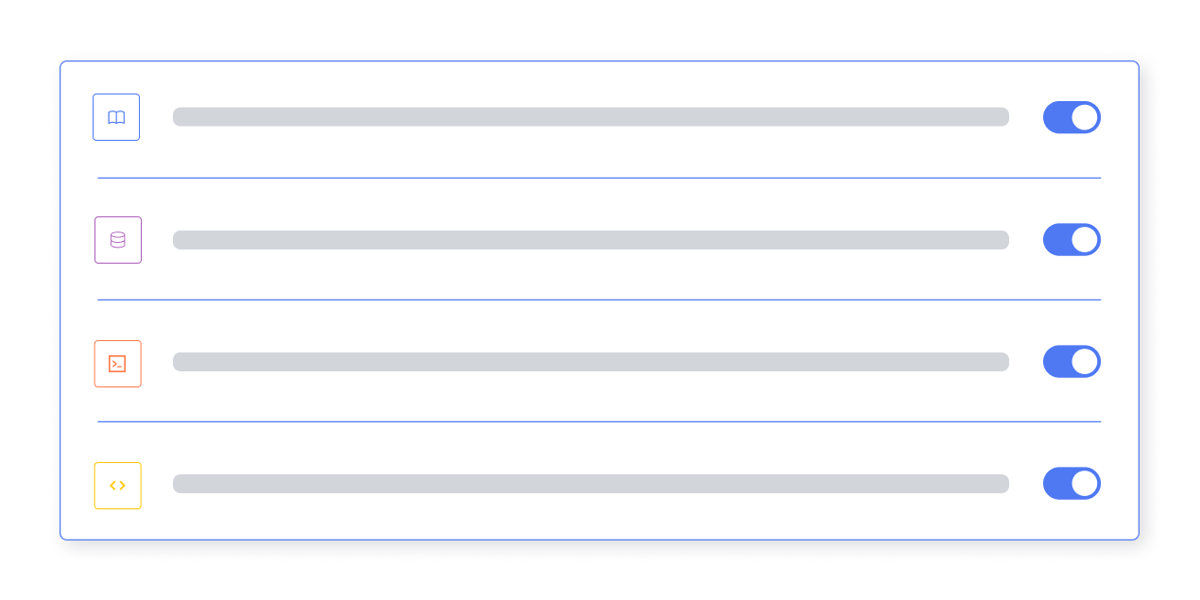
Getmd.ai includes Content Signal management in its settings: three toggle switches for AI Training, Search, and AI Input, with a live preview of the response header. The Agency tier supports per-page configuration. The header is automatically included on every .md file served from your endpoint.
For most sites, the managed approach is simpler - especially if you want per-page control without writing server configuration.
What to do now
- Decide your default policy - For most business websites, the answer is
ai-train=yes, search=yes, ai-input=yes. Maximum visibility. - Identify exceptions - Premium content, gated resources, or proprietary documentation that should have restricted AI usage.
- Implement the header - Either at the server/CDN level or through a managed platform.
- Document your policy - Consider adding an AI usage section to your website's terms of service that references your Content Signals configuration.
Content Signals are a small piece of the AI readability stack, but they address a question that's only getting more important: on what terms do you share your content with AI systems?
This article is part of our series on making your website AI-readable. Next: How to track LLM indexing · Also in this series: What is markdown? · What is llms.txt? · Per-page .md files · The robots.txt audit · Content structure for AI