

If you work in marketing, content, or business, you may have heard that AI systems prefer markdown. But what does that actually mean? What is markdown, why do large language models prefer it, and what does it look like in practice?
This article explains markdown from the ground up - no developer background required - and makes the case for why it's the most important format shift happening in web content today.
What markdown actually is
Markdown is a lightweight text formatting language created by John Gruber in 2004. It uses simple characters to indicate structure:
#for a heading##for a subheadingtextfor bold-for a bullet point<a href="url">link text</a>for a hyperlink
That's essentially it. Markdown is designed to be readable as plain text and parseable by machines. You've probably already used it without knowing - it's the formatting system behind GitHub, Notion, Slack messages, Reddit posts, and most developer documentation.
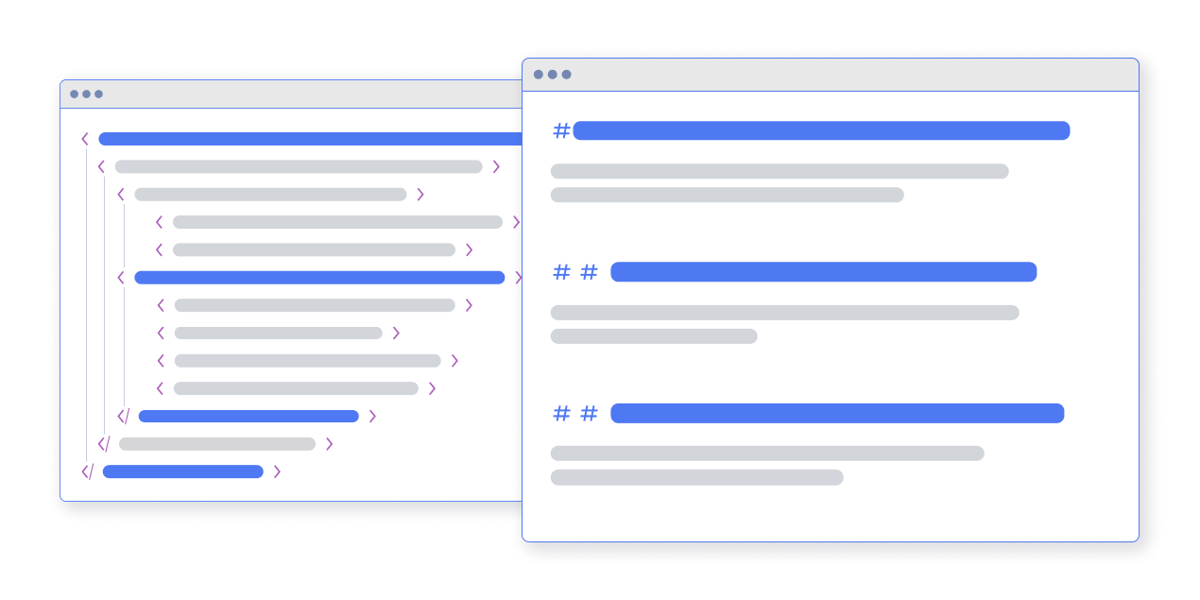
Here's a paragraph in HTML:
<div class="blog-content">
  <div class="rich-text w-richtext">
    <h2 class="heading-style-h2">Our services</h2>
    <p class="paragraph-large">We provide end-to-end
    HubSpot implementation for growth companies.</p>
  </div>
</div>
Here's the same content in markdown:
## Our services

We provide end-to-end HubSpot implementation for growth companies.
Same information. One tenth of the characters. Zero ambiguity about structure.
Why LLMs prefer markdown: the economics
Large language models process text in units called tokens. Every token costs compute - processing power, memory, electricity. When a model like ChatGPT or Claude evaluates a web page to decide whether to cite it in an answer, every wasted token is money spent on noise instead of signal.
A typical CMS page - whether it's HubSpot, WordPress, Webflow, or Shopify - wraps your actual content in layers of HTML that serve the visual layout:
| Component | Typical token cost |
|---|---|
| Navigation menus | 800 – 2,000 tokens |
| Footer with links and scripts | 500 – 1,500 tokens |
| CSS classes and data attributes | 2,000 – 4,000 tokens |
| SVG icons and inline styles | 500 – 2,000 tokens |
| Nested div structures | 1,000 – 3,000 tokens |
| Your actual content | 2,000 – 4,000 tokens |
| Total HTML page | ~16,000 tokens |
The same content in clean markdown: roughly 3,000 tokens. That's an 80% reduction.
For an AI system evaluating millions of pages to answer a query, this difference is enormous. A page that delivers pure content in 3,000 tokens wins over one that buries the same content in 16,000 tokens of layout chrome. It's faster to process, cheaper to consume, and clearer to understand.
Why LLMs prefer markdown: signal clarity
Beyond raw efficiency, markdown gives AI systems clearer structural signals.
In HTML, a heading might be any of these:
<h2>Our services</h2>
<div class="heading-text">Our services</div>
<span style="font-size: 24px; font-weight: bold;">Our services</span>
<p class="h2-style">Our services</p>
An AI system has to infer that all four of these are headings - using CSS class names, inline styles, or surrounding context as clues.
In markdown, a heading is always explicit:
## Our servicesThere's no ambiguity. The ## means "this is a second-level heading." Period. Lists are always - or 1.. Links are always <a href="url">text</a>. Bold is always text. The structure is semantic by default.
This matters because AI systems extract information more confidently from clearly structured content. The easier your page is to parse, the more likely it appears in AI summaries and the more accurately it's represented.
What a .md file actually looks like
When your website serves a page as a .md file, it looks like this:
---
title: "HubSpot Solutions"
description: "Migration, implementation, integrations, support,
and rescue & rehab — everything you need to maximise HubSpot."
canonical: https://www.mo.agency/solutions/hubspot
url: https://ai.mo.agency/solutions/hubspot.md
last_converted: 2026-04-03T09:05:42.573Z
---
That block at the top is called YAML frontmatter. It's metadata that the AI system reads before the content itself:
- title tells the AI what the page is about before reading a single paragraph
- description provides context
- canonical points back to the original HTML page - this is not cloaking; the relationship is explicit
- url is the markdown endpoint itself
- last_converted is a freshness signal showing when the content was last updated
Below the frontmatter is the actual content - clean markdown with headings, paragraphs, links, and lists. No navigation, no scripts, no tracking pixels, no nested divs. Just content.
How the discovery mechanism works
Your HTML pages can tell AI agents that a markdown version exists using a standard HTML tag called a discovery tag:
<link rel="alternate" type="text/markdown"
  href="https://ai.mo.agency/solutions/hubspot.md"
  title="Markdown version" />
This goes in the section of every page on your site. It tells AI agents: "there's a clean markdown version of this page available at this URL."
This isn't new technology. It's the same mechanism that's been used for RSS feed discovery since 2003. It's a proven web standard applied to a new use case. When an AI agent reads your HTML page, sees the alternate link, and fetches the markdown version instead, it gets clean content at a fraction of the token cost.
The discovery tag works alongside your llms.txt file, which provides a site-level index. Together, they create a complete discovery layer: llms.txt tells the AI what your site contains, and discovery tags on each page tell it where to find the markdown version.
The per-page advantage
A single llms.txt file at your site root is a good start - it gives AI agents a curated overview. But the real depth comes from per-page .md files that deliver the full content of every page in clean markdown.
Each page on your site gets its own .md endpoint. Your homepage becomes /index.md. Your about page becomes /about.md. Your blog post about HubSpot terminology becomes /blog/hubspot-terminology.md. Every page, always available, always current.
This is the gold standard for AI readability. And it goes far deeper than a static llms.txt file ever can.
What this means for your website
The shift to AI-readable content isn't theoretical. It's happening now. AI systems already make retrieval decisions millions of times per day, and the pages that are easiest to consume - clean, structured, token-efficient - get an advantage.
Making your website AI-readable starts with understanding that markdown is the format AI systems want. Everything else - llms.txt, per-page .md files, discovery tags, unblocked crawlers - is about delivering your content in that format and making sure AI agents can find it.
The good news: you don't have to rebuild your website. Your HTML site continues serving human visitors as it always has. The markdown layer sits alongside it - a parallel version of your content optimised for AI consumption. Tools like GetMD.ai create this layer automatically, converting your pages on the fly and serving them from a dedicated subdomain.
But whether you use a tool or build your own pipeline, the principle is the same: give AI systems the clean, structured, token-efficient content they need to understand, process, and cite your work.
This article is part of our series on making your website AI-readable. Next: What is llms.txt? · Per-page .md files · The robots.txt audit · Content structure for AI · Content Signals · How to track LLM indexing